CLI
You can compress files using the command line.
Installation
npm install -g @node-minify/cli # OR yarn global add @node-minify/cli OR pnpm add -g @node-minify/cli OR bun add -g @node-minify/cliUsage
node-minify --compressor uglify-js --input 'input.js' --output 'output.js'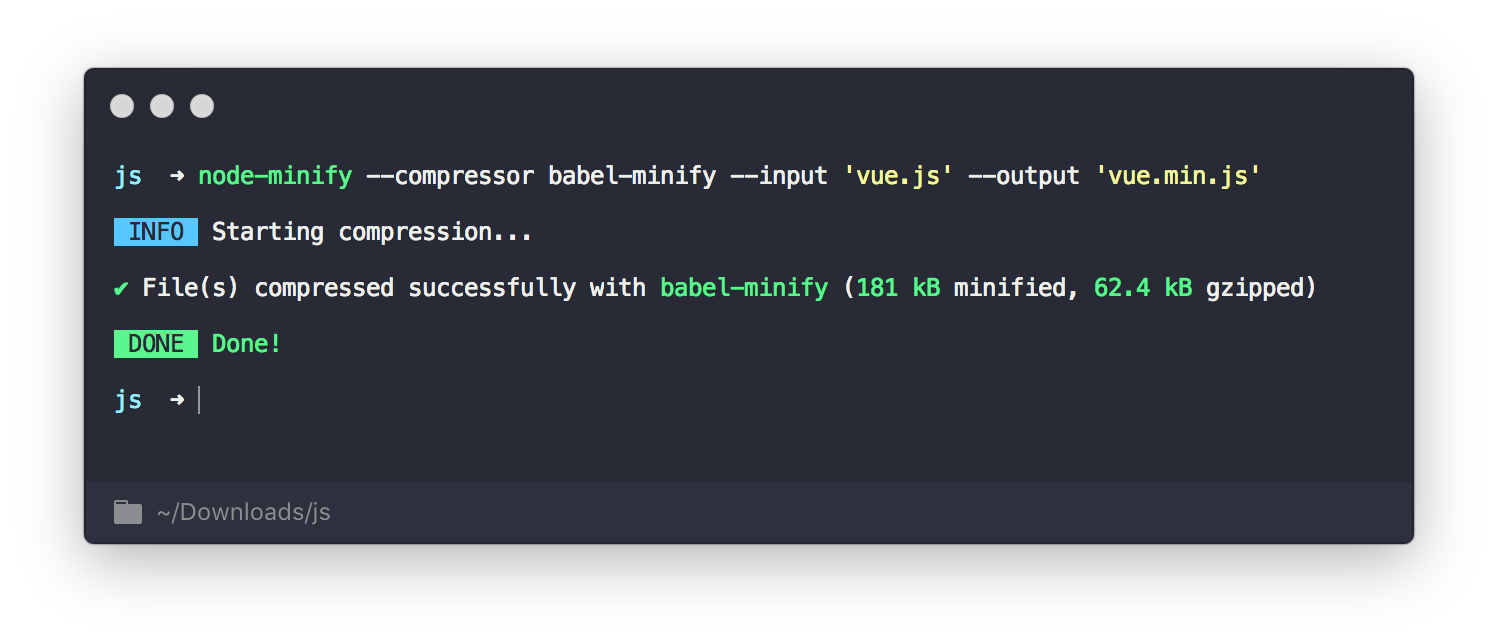
Multiple Inputs
To compress multiple files, you can pass multiple --input (or -i) flags. Each value is treated as a single file path, which allows supporting paths that contain commas.
node-minify --compressor uglify-js --input 'file1.js' --input 'file2.js' --output 'bundle.min.js'Alternatively, you can use wildcards (globs):
node-minify --compressor uglify-js --input 'src/**/*.js' --output 'bundle.min.js'For programmatic usage, pass an array of file paths:
await run({
  compressor: "terser",
  input: ["src/a.js", "src/b.js"],
  output: "dist/bundle.min.js",
});
Custom Compressors
The CLI supports custom compressors in addition to built-in ones:
# Use an npm package as compressor
node-minify --compressor my-custom-compressor --input 'input.js' --output 'output.js'

# Use a local file as compressor
node-minify --compressor ./my-compressor.js --input 'input.js' --output 'output.js'
See the Custom Compressors documentation for details on creating your own compressor.
Options
You can pass an option as a JSON string to the compressor.
node-minify --compressor uglify-js --input 'input.js' --output 'output.js' --option '{"warnings": true, "mangle": false}'Allowing Empty Output
When minifying files that produce empty output (e.g., CSS with only comments), use --allow-empty-output to skip writing instead of throwing an error.
node-minify --compressor clean-css --input 'comments-only.css' --output 'output.css' --allow-empty-outputDoctor Command
Scan a project for v11 migration issues with the doctor command. It is read-only — it reports findings and changes nothing.
npx --package=@node-minify/cli -- node-minify doctorRun it from your project root. It is read-only and checks for every v11 breaking change:
| Check | Where it looks | Severity |
|---|---|---|
| Removed compressors | package.json deps, imports, compressor: values, workflow YAML |
Error |
| Legacy-tier compressors | same as above | Warning |
Removed @node-minify/run |
package.json deps and source imports |
Error |
| Removed type aliases | CompressorReturnType, MinifyOptions in TypeScript imports and re-exports |
Error |
| Node baseline | engines.node ranges allowing Node below 22, or placing no lower bound |
Warning |
The type-alias check ignores comments and template literals, so a migration example written in either is not reported as a real import.
Example Output
ERROR: package.json - @node-minify/run was removed in v11. It was an internal Java/process-spawn helper with no public replacement; remove it from your dependencies.
ERROR: src/build.ts:1 - type MinifyOptions was removed in v11. Use Settings instead.
ERROR: .github/workflows/ci.yml:5 - yui was removed in v11. Use terser or lightningcss instead.
WARNING: package.json - engines.node is ">=20.0.0", which allows Node 20. v11 requires Node >=22.
WARNING: src/build.ts:2 - @node-minify/jsonminify is legacy tier. Consider migrating.
Exit Codes
| Code | Meaning |
|---|---|
0 |
No errors. Warnings may still be printed. |
1 |
At least one error was found. |
Because errors exit non-zero while warnings do not, you can gate CI on it:
npx --package=@node-minify/cli -- node-minify doctor || exit 1Benchmark Command
Compare the performance of different compressors using the benchmark command.
Basic Usage
node-minify benchmark src/app.jsCompare Specific Compressors
node-minify benchmark src/app.js --compressors terser,esbuild,swc,oxcWith Options
# Run 3 iterations, include gzip size, specify JS type
node-minify benchmark src/app.js -c terser,esbuild -n 3 --gzip -t js
Output Formats
# Console output (default)
node-minify benchmark src/app.js -c terser,esbuild

# JSON output
node-minify benchmark src/app.js -c terser,esbuild -f json

# Markdown output
node-minify benchmark src/app.js -c terser,esbuild -f markdown
Benchmark Options
| Option | Description | Default |
|---|---|---|
-c, --compressors |
Comma-separated list of compressors | terser,esbuild,swc,oxc |
-n, --iterations |
Number of iterations | 1 |
-f, --format |
Output format: console, json, markdown |
console |
-o, --output |
Output file path | stdout |
--gzip |
Include gzip size in results | false |
-t, --type |
File type: js, css, html |
auto-detect |
Example Output
🔍 Benchmarking: src/app.js (45.2 KB)
━━━━━━━━━━━━━━━━━━━━━━━━━━━━━━━━━━━━━━━

Compressor      Size      Reduction   Time      Status
──────────────────────────────────────────────────────
terser          11.8 KB   73.9%       234ms     OK
esbuild         12.3 KB   72.8%       45ms      OK

━━━━━━━━━━━━━━━━━━━━━━━━━━━━━━━━━━━━━━━

🏆 Best compression: terser
⚡ Fastest: esbuild
💡 Recommended: esbuild